
Best Shopify Payment Gateways in 2026: Fees and Chargebacks


Best Shopify Payment Gateways in 2026: Fees and Chargebacks
Shopify Payments is the best default gateway for most stores. It adds no third-party fee on top of card processing. The right pick changes once you add chargeback exposure, international sales, or buy-now-pay-later demand.
On my own stores, I deployed alerts and fixed the billing descriptor, and my chargeback rate dropped before I ever fought a dispute.
The gateway you pick also sets how exposed you are to disputes. That's where most "best gateway" comparisons stop looking.
Key takeaways
- Pick Shopify Payments for most stores, with rates as low as 2.4%.
- Choose Stripe for subscriptions, PayPal for cross-border, Square for omnichannel.
- Compare chargeback fees, which range from $0 on Square to $20 on PayPal.
- Watch Stripe and Shopify Payments, which drive most disputes in our alert data.
- Pair Authorize.net with layered fraud tools for high-risk stores.
Want disputes caught before they cost you? See Chargeback.io's alert coverage for Shopify stores.
What is the best payment gateway for Shopify in 2026?
Shopify Payments is the best all-around gateway for most Shopify stores in 2026, and Stripe, PayPal, Square, Mollie, and Klarna each win one specific job. It includes built-in fraud tools and charges the lowest effective rate, because every rival gateway carries a Shopify surcharge it avoids.
Which one is "best" depends on the cost you're trying to lower.
Some stores care most about the processing fee, the percentage skimmed off every sale. Others care more about the dispute fee they pay every time a customer files a chargeback, which stacks on top of the lost order. A third group weighs the checkout conversion from a brand shoppers already trust, since a gateway that lifts completed orders can earn back a higher fee.
Those three costs rarely point at the same gateway, which is why the default answer changes with the store. A low-margin store guards the processing fee. A store in a dispute-heavy category guards the chargeback fee. A store fighting cart abandonment guards conversion.
If you sell heavy international or BNPL volume, don't default to Shopify Payments alone.
The next section reviews all eight gateways in detail, and the buying guide after it matches one to your store's risk and geography.
The 8 Shopify payment gateways compared
Eight gateways cover almost every Shopify store in 2026. Each one wins a different job. The table below sums them up. The sections after give the fee detail and fit case for each.
Here's what each gateway is best for, in order:
Gateway
Best for
Base processing fee
Chargeback/dispute fee
Shopify Payments
Most stores (default)
2.9% + $0.30 (Basic), 2.4% + $0.30 (Advanced)
$15 (US)
Stripe
Subscriptions
2.9% + 30¢
$15
PayPal
Cross-border trust
3.49% + $0.49
$20
Square
Omnichannel
2.9% + 30¢ (online)
$0
Authorize.net
High-risk merchants
2.9% + 30¢ ($25/mo)
Varies by processor
Mollie
EU-first stores
1.8% + €0.25 (EU cards)
€10 (SEPA)
Klarna
Buy-now-pay-later
~2.99% + $0.30
Not published
Amazon Pay
One-tap checkout
2.9% + $0.30
$20 (only if you dispute)
<style>.wf-table-wrap table{width:100%;border-collapse:collapse}.wf-table-wrap th,.wf-table-wrap td{border:1px solid #ddd;padding:8px 12px;text-align:left}.wf-table-wrap th{background:#f5f5f5;font-weight:600}</style>
<div class="wf-table-wrap" style="overflow-x:auto;">
<table>
<thead><tr><th>Gateway</th><th>Best for</th><th>Base processing fee</th><th>Chargeback/dispute fee</th></tr></thead>
<tbody>
<tr><td>Shopify Payments</td><td>Most stores (default)</td><td>2.9% + $0.30 (Basic), 2.4% + $0.30 (Advanced)</td><td>$15 (US)</td></tr>
<tr><td>Stripe</td><td>Subscriptions</td><td>2.9% + 30¢</td><td>$15</td></tr>
<tr><td>PayPal</td><td>Cross-border trust</td><td>3.49% + $0.49</td><td>$20</td></tr>
<tr><td>Square</td><td>Omnichannel</td><td>2.9% + 30¢ (online)</td><td>$0</td></tr>
<tr><td>Authorize.net</td><td>High-risk merchants</td><td>2.9% + 30¢ ($25/mo)</td><td>Varies by processor</td></tr>
<tr><td>Mollie</td><td>EU-first stores</td><td>1.8% + €0.25 (EU cards)</td><td>€10 (SEPA)</td></tr>
<tr><td>Klarna</td><td>Buy-now-pay-later</td><td>~2.99% + $0.30</td><td>Not published</td></tr>
<tr><td>Amazon Pay</td><td>One-tap checkout</td><td>2.9% + $0.30</td><td>$20 (only if you dispute)</td></tr>
</tbody>
</table>
</div>
1. Shopify Payments
- Who should get it:
- US stores selling physical products
- Merchants who want one dashboard and no separate integration
- Anyone avoiding Shopify's third-party surcharge
- Processing fee: 2.9% + $0.30 (Basic), 2.4% + $0.30 (Advanced)
- Chargeback fee: $15 (US), refunded if you win
- Availability: About 20-plus regions, including the US, UK, Canada, and much of the EU
<style>.wf-pc{display:flex;flex-wrap:wrap;gap:16px;margin:24px 0}.wf-pc>div{flex:1 1 240px;border:1px solid #ddd;border-radius:8px;padding:16px}.wf-pc h4{margin:0 0 8px;font-size:1rem;font-weight:600}.wf-pc ul{margin:0;padding-left:20px}.wf-pc li{margin-bottom:6px}.wf-pc .pros{border-top:3px solid #1f9d55}.wf-pc .cons{border-top:3px solid #c53030}</style>
<div class="wf-pc">
<div class="pros"><h4>Pros</h4><ul>
<li>The only gateway that skips Shopify's third-party fee</li>
<li>Shopify refunds the chargeback fee when you win</li>
<li>Built-in fraud analysis at no extra cost</li>
<li>Same-day activation with no merchant-account application</li>
</ul></div>
<div class="cons"><h4>Cons</h4><ul>
<li>Regional availability rules out many stores</li>
<li>No buy-now-pay-later or crypto support</li>
<li>Higher international and currency-conversion costs</li>
</ul></div>
</div>
Shopify Payments is the best default for most stores because it's the only gateway that skips Shopify's third-party transaction fee. Every other gateway here adds a 0.2% to 2% surcharge on top of its own rate. That surcharge shrinks as you move up plans. Shopify Payments avoids it entirely.
The rate scales with your plan, from 2.9% + $0.30 per transaction on Basic to 2.4% + $0.30 on Advanced.
Adoption backs up the default status. Roughly 1.89 million merchants use Shopify Payments, an estimated 90% of eligible stores. Our guide to Shopify Payments adoption has the fuller picture.
On disputes, Shopify's chargeback fee is $15 in the US. Built-in fraud analysis flags risky orders before you fulfill them, which matters more than the fee.
Availability is the catch. Sell heavily outside its regions and you need a second gateway, which brings the surcharge back.
2. Stripe
- Who should get it:
- Stores running subscriptions or recurring billing
- Merchants who need metered usage or failed-payment retries
- Teams with developer resources to use the API
- Processing fee: 2.9% + 30¢ per successful card transaction
- Chargeback fee: $15 per case
- Fraud tools: Stripe Radar included, Chargeback Protection for an added percentage
<div class="wf-pc">
<div class="pros"><h4>Pros</h4><ul>
<li>Billing engine handles renewals and retries natively</li>
<li>Radar fraud screening comes built in</li>
<li>Deepest developer tooling of any gateway here</li>
</ul></div>
<div class="cons"><h4>Cons</h4><ul>
<li>Carries Shopify's third-party surcharge</li>
<li>You pay for billing features a one-time-product store won't use</li>
<li>Chargeback Protection covers only specific fraud reason codes</li>
</ul></div>
</div>
Stripe is the best fit for subscription and recurring billing because its billing engine, retry logic, and developer tools are built for it. Shopify Payments handles one-time orders cleanly. Stripe handles renewals, failed-payment retries, and metered usage, without a bolt-on app.
The base rate is 2.9% + 30¢ per successful card transaction. That's the same headline number as Shopify Payments. Run it through Shopify and it carries the surcharge. Route it direct through Stripe's own checkout and you skip that.
Stripe processes more card volume than any gateway here. Our guide to Stripe's processing volume has the current figures.
Stripe's dispute fee is $15 per case.
On Shopify, Stripe runs as a third-party gateway you add in payment settings. Most stores that pick it do so for the billing stack, then run their subscription logic through Stripe's own tools rather than Shopify's native checkout.
Unless you're running true subscriptions, you pay extra for features you won't use. For a one-time-product store, Shopify Payments does the same job for less.
3. PayPal
- Who should get it:
- Stores selling to international buyers
- Merchants who want a recognized express-checkout button
- Sellers adding a secondary option beside a main gateway
- Processing fee: 3.49% + $0.49 per transaction
- Chargeback fee: $20 per chargeback on card transactions
- Checkout type: Express button, so buyers skip your card form
<div class="wf-pc">
<div class="pros"><h4>Pros</h4><ul>
<li>Shoppers worldwide already recognize the checkout</li>
<li>Express button removes the card form entirely</li>
<li>Runs alongside your primary gateway</li>
</ul></div>
<div class="cons"><h4>Cons</h4><ul>
<li>The steepest dispute fee on this list at $20</li>
<li>Highest base rate of any gateway here</li>
<li>Buyer protection can resolve in the customer's favor quickly</li>
</ul></div>
</div>
PayPal is the best gateway for cross-border trust because shoppers in many countries recognize the checkout. They finish a purchase they'd abandon with an unfamiliar processor. That familiarity is the product, and for an international audience the conversion lift can outweigh a higher fee.
The dispute cost is the steepest here, at $20 per chargeback on card transactions. The base rate is the highest too, at 3.49% + $0.49 per transaction. As an alternate gateway, it also stacks on Shopify's surcharge.
Its own buyer-protection process can side with the customer quickly. The higher fees hit every disputed order. So PayPal works best as a secondary checkout option for international buyers, sitting alongside your main gateway.
Shopify supports PayPal as an express checkout button, which is part of why it converts well. A shopper taps the PayPal button, logs into an account they already have, and skips your card form entirely. That's the friction it removes, and it's the reason to keep it even when its fees run high.
4. Square
- Who should get it:
- Stores selling both online and face to face
- Merchants who want one dashboard across every channel
- Sellers in dispute-heavy categories who want no per-case fee
- Processing fee: 2.9% + 30¢ online on the Plus and Premium tiers
- Chargeback fee: $0, with no separate dispute fee
- Channels: Online checkout plus in-person card readers on one account
<div class="wf-pc">
<div class="pros"><h4>Pros</h4><ul>
<li>No separate dispute fee, where most gateways charge one</li>
<li>In-person and online sales report into one dashboard</li>
<li>One payout and one record across every channel</li>
</ul></div>
<div class="cons"><h4>Cons</h4><ul>
<li>Shopify integration is less direct than the native options</li>
<li>Still carries Shopify's third-party surcharge</li>
<li>A pure online store gains little from the omnichannel setup</li>
</ul></div>
</div>
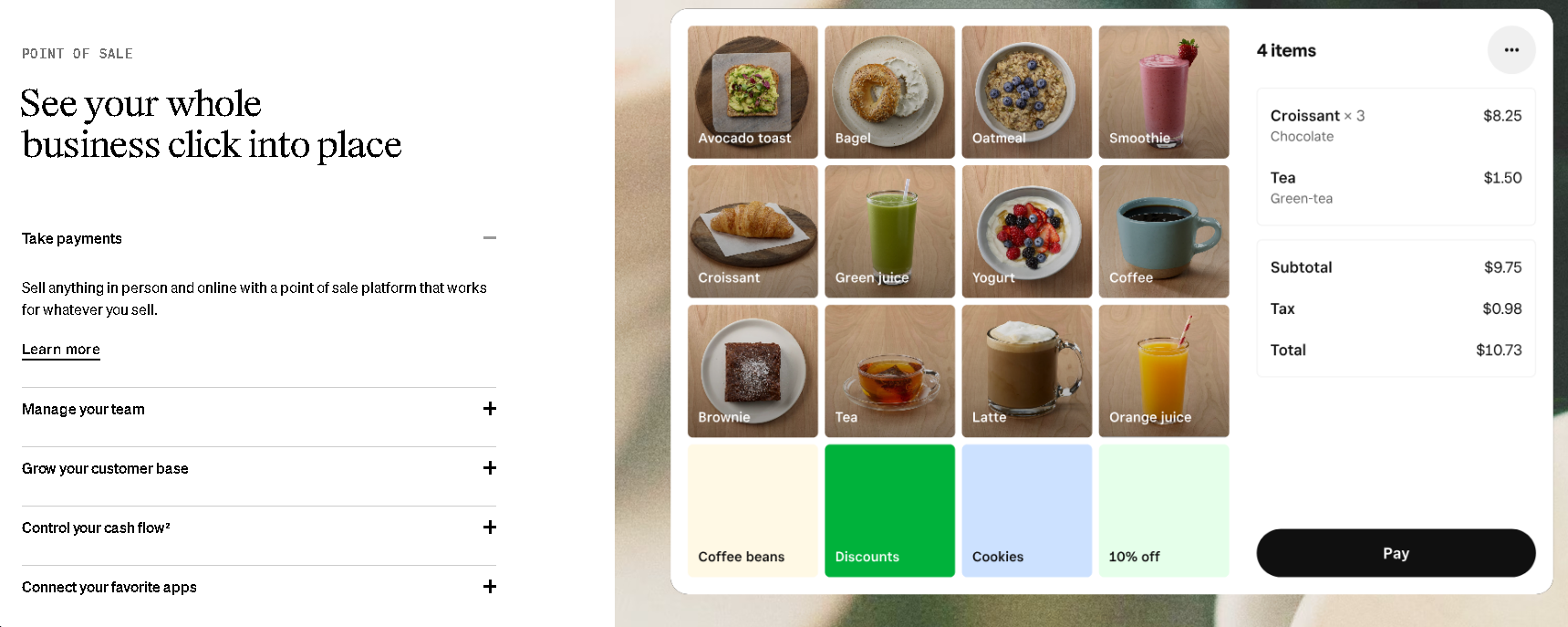
Square is the best fit for omnichannel sellers because it links in-person and online sales under one account, with no separate chargeback fee. Sell at markets or a storefront as well as online. Square keeps the payment data in one place.
Online card payments run 2.9% + 30¢ on the Plus and Premium tiers. Disputes are where it's different.
Square's chargeback policy adds no separate dispute fee. Most processors charge a separate fee on top of the lost sale. You still lose the disputed sale. Square spares you the extra fee on top.
Where Square pays off is a store that also sells face to face. The reader at your booth and the checkout on your site report into one dashboard, with one payout and one record of every sale. If you split sales between a market stall and a website, that single view is worth the surcharge.
5. Authorize.net
- Who should get it:
- High-risk merchant categories declined elsewhere
- Stores that already hold a high-risk acquiring bank relationship
- Merchants willing to add their own fraud layer
- Processing fee: 2.9% + 30¢ per transaction, plus $25 a month
- Chargeback fee: Varies, since the acquiring bank sets it
- Setup: Apply for the merchant account first, then connect the gateway
<div class="wf-pc">
<div class="pros"><h4>Pros</h4><ul>
<li>Works with specialized high-risk acquiring banks</li>
<li>Keeps categories processing that Shopify Payments rejects</li>
<li>Bank relationship is yours rather than the platform's</li>
</ul></div>
<div class="cons"><h4>Cons</h4><ul>
<li>No built-in chargeback insurance, so you carry the risk</li>
<li>$25 monthly fee on top of per-transaction cost</li>
<li>Approval takes days rather than same-day activation</li>
</ul></div>
</div>
Authorize.net is the best fit for high-risk merchant categories because it works with specialized high-risk acquiring banks. Shopify Payments and Stripe often decline those categories.
A category that triggers automatic rejections elsewhere still has a path here. Authorize.net plus a high-risk merchant account is frequently the one that stays open.
Its all-in-one plan runs 2.9% + 30¢ per transaction plus $25 a month. The dispute fee depends on the acquiring bank behind it. That bank sets its own rate.
Authorize.net leaves chargeback insurance to you. A high-risk store carries the dispute risk itself. That makes a prevention layer more important here than on any other gateway. The high-risk section below comes back to it.
Setup is heavier than the native options. You apply for a high-risk merchant account with an acquiring bank first, then connect Authorize.net as the gateway on top. That approval can take days rather than the same-day activation Shopify Payments gives you, so plan for the lead time.
6. Mollie
- Who should get it:
- Stores selling mainly into the Netherlands, Belgium, Germany, or France
- Merchants whose customers expect iDEAL or Bancontact
- EU-first sellers wanting rates below the US standard
- Processing fee: 1.80% + €0.25 for European consumer cards
- Chargeback fee: €10 on a SEPA chargeback, $30 per lost dispute, plus €30 more above a 1.5% dispute rate
- Local methods: iDEAL, Bancontact, SEPA
<div class="wf-pc">
<div class="pros"><h4>Pros</h4><ul>
<li>European card rates run well under the 2.9% US standard</li>
<li>Supports the local methods EU shoppers expect</li>
<li>SEPA dispute fee is among the lowest here</li>
</ul></div>
<div class="cons"><h4>Cons</h4><ul>
<li>A US-first store gains nothing from the EU pricing</li>
<li>Still pays Shopify's surcharge on top</li>
<li>Klarna disputes cost more than a standard card chargeback</li>
</ul></div>
</div>
Mollie is the best fit for EU-first stores because it prices European cards below US-centric gateways and supports iDEAL, Bancontact, and SEPA. A store selling mainly into the Netherlands, Belgium, Germany, or France sees demand for those local methods. Customers expect them at checkout.
Mollie charges 1.80% + €0.25 for European consumer cards, well under the 2.9% US rates.
Its dispute fee is $30 per lost dispute, rising by another €30 once your dispute rate passes 1.5%, and €10 on a SEPA chargeback.
Mollie's strength is regional. A US-first store gains nothing from its EU pricing and local methods. It still pays Shopify's surcharge on top. Match it to your sales geography.
The local methods are the real draw for an EU store. A Dutch shopper reaches for iDEAL, a Belgian shopper for Bancontact, and a card form alone loses both at checkout. Mollie puts those methods in front of the customers who expect them, which is worth more in the EU than a lower headline card rate.
7. Klarna

- Who should get it:
- Stores with higher-priced carts that shoppers hesitate over
- Merchants wanting to lift average order value
- Sellers adding BNPL beside a primary processor
- Processing fee: Around 2.99% + $0.30, set per merchant
- Chargeback fee: Set per merchant agreement
- Payout: Klarna pays you upfront and collects from the customer
<div class="wf-pc">
<div class="pros"><h4>Pros</h4><ul>
<li>You get paid upfront and carry none of the lending risk</li>
<li>Installments lift average order value on pricier goods</li>
<li>The fee applies only to the orders that use it</li>
</ul></div>
<div class="cons"><h4>Cons</h4><ul>
<li>Rates run above standard card processing</li>
<li>Pricing is quoted per merchant rather than published</li>
<li>Adds another dispute process to track separately</li>
</ul></div>
</div>
Klarna is the best way to add buy-now-pay-later at checkout, splitting a purchase into installments. Shoppers buy items they'd otherwise leave in the cart.
Buy now, pay later (BNPL) lets a customer pay in parts over time while you get paid upfront. It tends to lift average order value on pricier goods.
Klarna's rates run higher than standard card processing, and Klarna sets them per merchant. You're paying for the financing and the conversion lift.
Klarna also charges a fee on each lost dispute. Klarna doesn't publish that rate, and it's set per merchant agreement like the processing fee.
As a checkout add-on, it sits alongside your main processor. It handles shoppers who want to pay in installments. Its fee applies only to those orders.
The upside shows up on higher-priced carts.
Picture a $200 order that splits into four payments of $50, where that smaller number is what gets a hesitant shopper to buy. You take on none of the lending risk, since Klarna pays you upfront and collects from the customer itself. That is what the higher fee buys.
8. Amazon Pay
- Who should get it:
- Stores whose audience skews toward heavy Amazon buyers
- Merchants losing carts at a long card form
- Sellers adding a conversion button beside a main gateway
- Processing fee: 2.9% + $0.30 per US transaction
- Chargeback fee: $20, charged only if you dispute
- Checkout type: One-tap with saved Amazon credentials
<div class="wf-pc">
<div class="pros"><h4>Pros</h4><ul>
<li>Buyers check out with a card and address already on file</li>
<li>Removes the card form that loses carts</li>
<li>Rates match the standard card range</li>
</ul></div>
<div class="cons"><h4>Cons</h4><ul>
<li>Only helps buyers with active Amazon accounts</li>
<li>$20 dispute fee ties PayPal for the steepest here</li>
<li>Carries Shopify's surcharge as a secondary gateway</li>
</ul></div>
</div>
Amazon Pay is the best one-tap option for stores whose customers already shop on Amazon. They check out with saved Amazon credentials instead of typing card details. Removing that friction can recover a sale a shopper would abandon at a longer form.
Amazon Pay's processing runs 2.9% + $0.30 per US transaction, in line with the standard card rates. It charges $20 to dispute a chargeback.
The benefit only lands for buyers with active Amazon accounts. Like the other alternates, it carries Shopify's surcharge. It's a secondary checkout button for conversion. It works best paired with a primary gateway.
The payoff is the saved card and address on file. A returning Amazon shopper taps the button, confirms with credentials they already trust, and never types a card number on your site.
For a store whose audience skews toward heavy Amazon buyers, that one-tap path recovers carts a longer form would lose.
Chargeback fees and dispute handling compared
Chargeback and dispute fees swing widely across the eight gateways, but the fee schedule only matters if disputes actually reach that gateway. A cheap fee on your main gateway saves more than a free fee on one you barely use.
You pay a chargeback fee on top of the lost sale, win or lose. Here's what each gateway charges:
Gateway
Chargeback/dispute fee
Square
$0 (no separate fee)
Shopify Payments
$15 (US, refunded if you win)
Stripe
$15 per case
Klarna
Not published
PayPal
$20 per chargeback
Mollie
€10 (SEPA), $30 per lost dispute
Amazon Pay
$20 (only if you dispute)
Authorize.net
Varies by acquiring bank
<div class="wf-table-wrap" style="overflow-x:auto;">
<table>
<thead><tr><th>Gateway</th><th>Chargeback/dispute fee</th></tr></thead>
<tbody>
<tr><td>Square</td><td>$0 (no separate fee)</td><td>Square policy</td></tr>
<tr><td>Shopify Payments</td><td>$15 (US, refunded if you win)</td><td>Shopify</td></tr>
<tr><td>Stripe</td><td>$15 per case</td></tr>
<tr><td>Klarna</td><td>Not published</td></tr>
<tr><td>PayPal</td><td>$20 per chargeback</td></tr>
<tr><td>Mollie</td><td>€10 (SEPA), $30 per lost dispute</td></tr>
<tr><td>Amazon Pay</td><td>$20 (only if you dispute)</td></tr>
<tr><td>Authorize.net</td><td>Varies by acquiring bank</td></tr>
</tbody>
</table>
</div>
The gap looks small until you run one order through it.
Say a customer disputes a $50 order on Square. You lose the $50 sale and pay no fee, so the hit is $50. The same order on PayPal costs $50 plus the $20 fee, a $70 hit. Over dozens of disputes a month, that gap adds up.
The fee is only half the picture. It costs you only if disputes land on that gateway, and they land on very few.
In our dataset, among alerts with a recorded processor, Stripe generated 80.9% and Shopify Payments 16.6%. Together they cover nearly every dispute the merchants we protect see.
So prevention pays off first on Stripe and Shopify Payments. The cheapest dispute is the one the customer never files. Fixing the billing statement descriptor so buyers recognize the charge beats winning any dispute.
Our Shopify chargeback guide shows how disputes move once filed.
To catch disputes before they hit your ratio, Chargeback.io's alert coverage flags them early. You refund in time and avoid the chargeback.
Choosing the right gateway for your store
Choose your gateway on five factors, starting with dispute exposure and ending with reliability. Shopify Payments fits a typical US store selling one-time products. A high-risk category, a mostly-EU customer base, or heavy BNPL demand each pull the decision elsewhere.
Work them in this order:
- Dispute handling, covering the fee, whether it's refunded, and any protection.
- Total cost, covering the processing rate, Shopify's surcharge, and conversion fees.
- Sales geography, covering currencies and the local methods your buyers expect.
- Accepted payment methods, covering wallets and BNPL demand at checkout.
- Reliability, covering uptime and how fast support answers when payments fail.
Map those to a pick. A standard US store selling one-time products stays on Shopify Payments and stops there. A high-risk category moves to Authorize.net with a fraud layer. An EU-first store leads with Mollie, a global store adds PayPal, and a store with pricey carts bolts on Klarna.
Most stores land on one primary gateway plus at most one checkout add-on.
To size the cost side before you choose, our chargeback prevention ROI calculator puts numbers on it.
1. How the gateway handles disputes
Check three things on dispute handling, which are the fee, whether the gateway refunds it on a win, and whether any protection applies. The fee spread runs from $0 on Square to $20 on PayPal and Amazon Pay.
According to Shopify, Shopify Payments sits in the middle at $15 and refunds it when you win, which most gateways don't.
Protection scope matters more than the fee for a store in a dispute-heavy category. Shopify Protect covers eligible orders for US merchants selling physical goods, so a digital-goods seller gets far less from it.
Summary: Compare the fee, the refund-on-win policy, and what protection actually covers.
2. The total cost, not the headline rate
Add Shopify's third-party surcharge and any conversion fee to the advertised rate, because the sticker price hides both. According to Qualimero, every gateway except Shopify Payments carries a 0.2% to 2% surcharge that shrinks as you move up plans.
Cross-border cards add a currency-conversion fee, commonly 1% to 3%.
Payment method changes the cost too. Card rates typically run above bank transfers, and wallets can carry their own pricing.
Summary: Add the surcharge and conversion fees before you compare two gateways.
3. Where your customers actually are
Match supported currencies and local methods to your real order geography, since a card-only checkout quietly loses shoppers who expected their usual method. Pull your analytics first. If a large share of orders comes from one country, check how that country prefers to pay.
The Netherlands leans on iDEAL, Belgium on Bancontact, Germany on bank transfer and BNPL, and much of Latin America on installments.
Summary: Read your order geography, then match the checkout to how those buyers pay.
4. The payment methods at checkout
Support the wallets and BNPL options your buyers already use, because a missing method reads as a broken checkout. Digital wallets like Apple Pay and Google Pay now carry a large share of e-commerce volume, and they convert well because the card details are already saved.
BNPL matters most on higher-priced carts. If your average order value is low, adding it buys you little.
Summary: Add the wallets your buyers use, and add BNPL only if carts are pricey.
5. Uptime and support responsiveness
Weigh uptime and support quality, since downtime costs sales directly and slow support extends every outage. Most gateways advertise 99.9% uptime, so the real difference shows up in support. Check whether help is available around the clock and how fast merchants say it responds.
Read merchant reviews for the pattern rather than the rating. Repeated complaints about hidden fees, held payouts, or slow replies tell you more than a star average.
Summary: Uptime claims look alike, so judge on support speed and review patterns.
6. Best gateway for high-risk Shopify stores
High-risk Shopify stores are usually best served by Authorize.net paired with a high-risk acquiring bank, plus a fraud-and-alert layer on top. The mainstream gateways decline these categories. None of them absorb the dispute risk for you.
Shopify Payments and Stripe frequently reject high-risk merchant categories outright. That leaves Authorize.net as the gateway that keeps you processing.
A high-risk merchant account comes with a lower threshold before your processor acts. Visa and Mastercard both run monitoring programs that flag a store once its dispute rate crosses a set limit, and crossing it triggers fines or a frozen account.
That makes prevention concrete work you can start today. Watch your chargeback rate against the limit. Fix the billing descriptor so the charge is recognizable on a statement.
Add a fraud-scoring tool such as Signifyd, Riskified, or Kount. It screens orders on device fingerprinting, velocity checks, and address verification. Turn on dispute alerts so a flagged transaction can be refunded before it becomes a chargeback.
That layered approach works.
Our Tim's Coffee case study is one example. That Shopify store on Stripe cut chargebacks 89% after adding alert-based prevention, and the drop also avoided a Stripe shutdown.
The gateway keeps you open. The prevention layer keeps you under threshold.
7. Best gateway for international sales
For international and cross-border sales, match the gateway to where your customers are. Use PayPal for broad global trust, Mollie for the EU, and Amazon Pay for Amazon-heavy markets. No single gateway wins everywhere.
Cross-border stores usually run a primary processor plus one familiar local option at checkout.
PayPal earns its place on trust, since shoppers across many countries complete a checkout they recognize. Mollie wins on EU pricing and local methods like iDEAL and Bancontact. Amazon Pay adds one-tap checkout for buyers who already have Amazon accounts.
Read your analytics before you add anything. If a big share of orders comes from one country, match the checkout to how that country pays. The Netherlands leans on iDEAL, Germany on bank transfer and BNPL, and much of Latin America on installment plans.
A card-only checkout quietly loses the shoppers who expected their usual method.
The cost is the third-party surcharge on each alternate gateway, plus any currency-conversion fee on cross-border cards. So add a second option only where it clearly lifts conversion, and drop one that isn't paying for itself.
Security, compliance, and fraud tools
Every gateway on this list is PCI-compliant, so the real security decision is the fraud tooling you add on top. Payment Card Industry (PCI) compliance is a baseline every gateway meets. What separates stores is how well they screen risky orders.
Add three layers, in order:
- Built-in fraud tools: set Shopify's fraud analysis or Stripe Radar to flag orders for review.
- 3D Secure: turn on 3D Secure so verified payments shift fraud liability to the bank.
- A dedicated fraud tool: past low dispute volume, add device fingerprinting and velocity checks.
Each layer catches a class of fraud the gateway alone misses.
Screening stops bad orders at checkout, but some disputes still slip through, often from a customer who forgot the charge. Dispute alerts cover that gap. When a cardholder challenges a charge, the alert reaches you before it hardens into a chargeback.
A quick refund then settles it without the fee or the hit to your ratio.
Shopify's Settings > Payments screen is where you add or switch a payment gateway.
FAQ
Does Shopify Payments charge a chargeback fee?
Yes, and it charges the same fee whether or not the disputed order was worth that much. The amount is set per country, so it differs outside the US.
Can I use Stripe or PayPal instead of Shopify Payments?
Yes, Shopify lets you switch to a third-party gateway like Stripe or PayPal in your payment settings. Shopify adds a transaction surcharge when you use one, so factor that into the cost.
What happens if I use a gateway other than Shopify Payments?
Shopify adds a third-party provider surcharge on top of the gateway's own rate, charged on every transaction through it. The surcharge shrinks as you move up plans, so higher-tier stores pay less of it.
Do BNPL options like Klarna increase chargebacks on Shopify?
Adding Klarna keeps your card dispute rate steady, since BNPL disputes run through Klarna's own process rather than the card networks. It can shift where disputes land, so track them separately from your main processor.
How we sourced our data
The dispute-share figures in this article come from anonymized, aggregated alert data across merchants enrolled on the Chargeback.io platform. We measured total alerts within each category. Each percentage is a share of the alerts with a recorded processor. It is not a share of every dispute across the payments industry.
Our platform's alert mix skews toward the processors our merchants use most. So these percentages describe our own merchant base. Treat them as a strong directional signal about where dispute volume concentrates. Read the industry-wide picture elsewhere.
