
How to Prevent PayPal Chargebacks: Tactics by Type
.png)

Preventing PayPal chargebacks means matching your defense to the dispute type behind each dispute. Delivery proof stops "item not received" claims, clear listings stop "not as described" claims, and card checks stop unauthorized fraud. No single tactic covers all three.
The cheapest chargeback is the one a customer never files. I've fixed the billing descriptor and deployed alerts on my own stores, and that cut my dispute rate before I ever fought one. Most prevention advice skips that lesson, and it skips which dispute type you're actually up against. This guide sorts prevention by the exact type you're searching for.
Key takeaways
Want this handled automatically? Our chargeback alerts flag a risky PayPal transaction while you can still refund it.
How do you prevent chargebacks on PayPal?
You prevent PayPal chargebacks by matching your defense to the dispute type behind each dispute. The three types each need different proof to stop, so one blanket tactic can't cover them.
A single generic checklist covers each type weakly. Think "verify customers, ship fast, communicate clearly."
That's why the same defense against every dispute sees limited results.
This article assumes you know PayPal's dispute, claim, and chargeback terms. They're all defined in our PayPal chargeback guide for merchants.
No tactic stops a chargeback once the customer's card issuer has ruled in their favor. Prevention works before that decision. So response speed matters as much as tactic choice.
Common PayPal chargeback types sand how to prevent each one
Three types drive most preventable PayPal chargebacks, and each one needs its own defense. PayPal-related disputes and scams cost the company and its users about $1 billion a year. Knowing which pattern is hitting you decides where your effort goes.
Here's the defense that matches each one:
- Item not received: tracking with delivery confirmation.
- Item not as described: clear listings with documentation.
- Unauthorized transaction: card verification and 2FA.
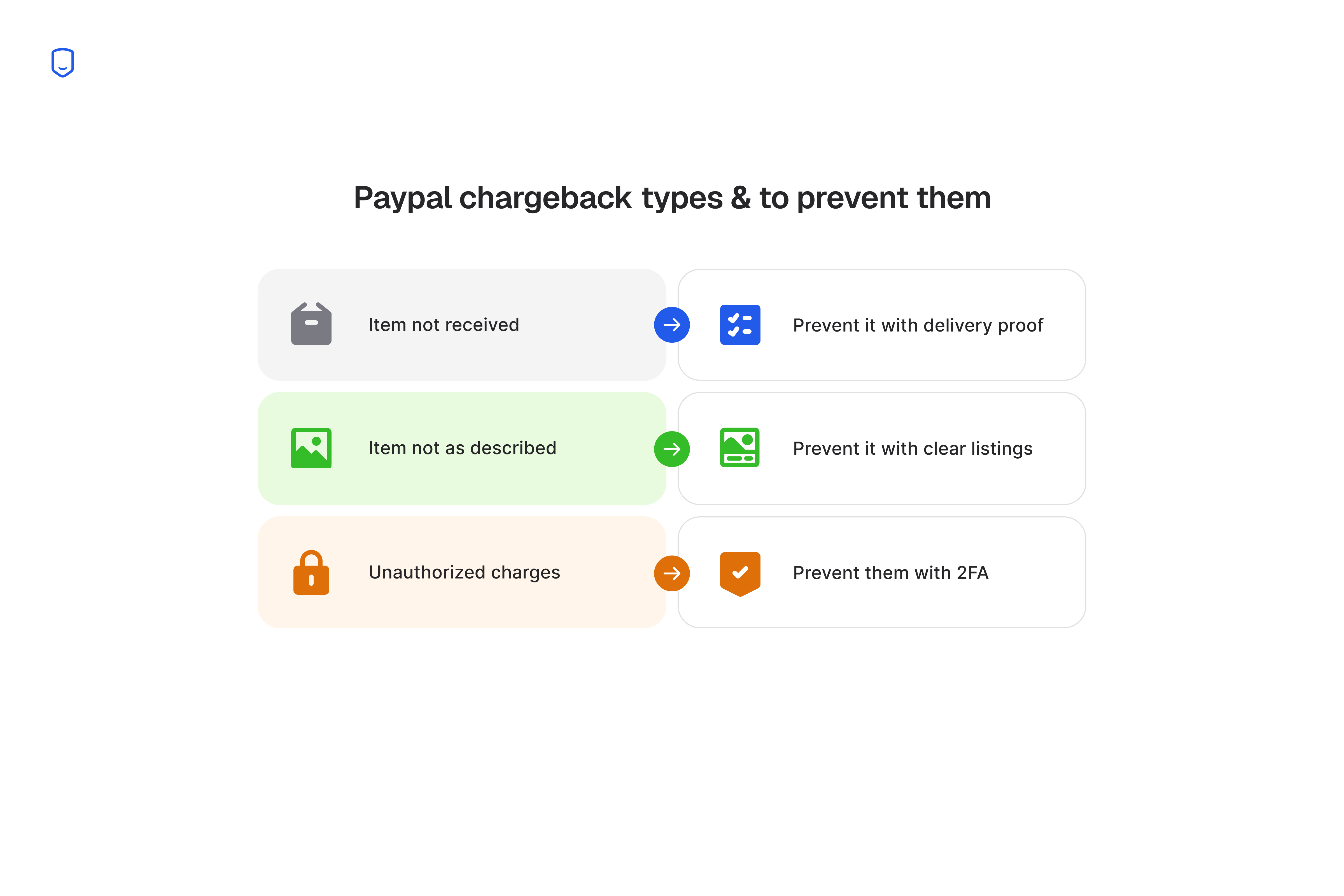
1. Item not received: prevent it with delivery proof
Upload tracking with delivery confirmation on every order. Then PayPal's Seller Protection can side with you on an item-not-received claim.
This claim is winnable because the evidence is objective. Either a carrier scanned the package as delivered or it didn't.
To qualify for Seller Protection here, you supply valid proof of shipment and delivery. The proof needs a tracking number, a carrier scan, and a delivery status to a confirmed address. That shifts the burden off your word alone and onto the carrier's record.
Ship with tracking on anything you can. Keep the tracking number attached to the PayPal transaction, not just your own records.
Basic tracking leaves one gap. A package marked "delivered" that the buyer swears never arrived puts you back to your word against theirs.
Signature confirmation closes that gap. The recipient's signature is a binding acknowledgment of receipt.
Add it on high-value orders where the label cost is worth it. Skip it on low-margin items where it isn't.
2. Item not as described: prevent it with clear listings
Detailed listings, accurate photos, and documented pre-sale messages are your only real defense against an item-not-as-described claim. Seller Protection does not cover this type.
PayPal covers "unauthorized" and "item not received" and nothing else. So this loss is yours to prevent or eat.
Photograph every angle before you ship. List the exact dimensions, materials, and condition on the product page.
Keep buyer messages inside PayPal or your help desk. There they carry a timestamp you can export later.
Even an accurate listing won't stop every buyer. Some use "not as described" to cover friendly fraud, a real purchase they regret.
Documentation can still fight that case even when it can't prevent it. Your listing evidence matters at the dispute-response stage too.
3. Unauthorized charges: prevent them with 2FA
Card verification and two-factor authentication (2FA) at checkout stop unauthorized-transaction fraud. They confirm the buyer is the real cardholder.
Unauthorized charges happen when payments go through without permission. They come from stolen cards, hacked accounts, or phishing.
Digital wallets and card-not-present sales carry higher fraud risk. There's no physical card or signature to check.
In the US, digital wallets already run 40% of e-commerce transactions. So this is a growing share of your orders.
Verification tools substitute a digital identity check for the in-person one. A physical store gets that check for free.
Turn on Address Verification Service and CVV matching in your gateway. Require 2FA on account logins and high-value checkouts. Add 3D Secure, which asks the cardholder's bank to verify the buyer and shifts unauthorized-fraud liability to the issuer when it clears.
These checks narrow the risk without erasing it. A stolen card with the correct billing address on file still passes AVS and CVV.
That's why this tactic pairs with fast dispute response. Catch the fraud you can at checkout. Keep the evidence ready for the fraud that slips through.
Automate prevention with chargeback alerts
PayPal's own pre-chargeback alert lets you refund a flagged transaction and stop the chargeback before it lands. The alert covers only PayPal's network, and it fires only on transactions PayPal flags.
That leaves a gap. Watch only for PayPal's alert and you miss every card-network chargeback routed through another processor.
Broader chargeback alerts also cover Ethoca (Mastercard) and Verifi (Visa). Verifi runs RDR and CDRN. Together they catch a wider range of disputes than PayPal's native alert alone.
PayPal's pre-chargeback alert, explained
A pre-chargeback alert is a notice PayPal sends when it flags a transaction. The flag means the transaction is likely to draw a chargeback.
PayPal recommends acting on it within 20 hours for the best results. Refund inside that window and you skip both the chargeback and the fee.
Acting on it means one thing. Issue a full refund on the flagged order before the clock runs out. There's no evidence to gather and no dispute to fight, so the flagged order never becomes a chargeback that counts against your rate.
Miss the window and you drop back to the standard process. There, PayPal warns you of the downside. You may not be able to avoid the chargeback or its fee.
An alert-prevention platform extends the same head start to every card-network chargeback.
Does closing your PayPal account stop chargebacks?
Closing a PayPal account does not end chargeback liability. You can stay on the hook for chargebacks filed 18 months or more after the account closes.
Cardholders have 120 days from a transaction to dispute it. Certain reason codes stretch that to 540 days. Examples are goods not received or recurring billing.
Liability attaches to the transaction and the card network's dispute window, whether or not your account is still open.
So PayPal, or any processor, can still hold you responsible for a sale made months ago.
Say you close your account expecting a clean break. A chargeback can still land on a sale from before you closed.
The money already in your account gets held too. According to Chargebacks911, that balance typically stays locked for at least 120 days after closure, separate from the filing windows above.
This window applies only to disputes tied to transactions made while the account was open. It creates no new liability for anything after closure, and it lapses once every past sale's dispute window has passed.
So closing the account is the wrong move if you're trying to dodge a chargeback. Resolve or refund your open disputes first, keep your delivery and transaction records for the full window, and close only once the exposure has lapsed.
FAQ
Is it illegal to chargeback on PayPal?
Filing a legitimate PayPal chargeback is legal, since the dispute process exists for buyers who were genuinely wronged. It crosses into fraud only when a buyer knowingly disputes a charge they recognize and owe.
Can I get banned from PayPal for too many chargebacks?
Yes, a high dispute rate can get your PayPal account limited, reserved, or closed. PayPal tracks your rate against the same card-network thresholds every processor watches.
Does using PayPal's Seller Protection cost extra?
PayPal includes Seller Protection on eligible transactions at no separate fee. The paid program with a per-transaction cost is Chargeback Protection, which is a different product.
How do I stop a repeat customer from disputing again?
Cancel any active subscription for that buyer and block them from future checkouts, so no new charge can be disputed. For an existing dispute, refund it before it escalates to a claim.
