
Shopify Chargeback Protection: The Full Exclusion List


Best Shopify Chargeback Prevention App in 2026
Chargeback.io is the best all-around Shopify chargeback prevention app for most stores. It combines Ethoca and Verifi alerts with automatic refunds in one Shopify integration, so it catches disputes before they turn into chargebacks.
I ran chargebacks on my own Shopify stores, then spent years advising merchants on cutting their dispute rates. The merchants I saw land in a monitoring program almost never got there overnight. Usually a problem went unnoticed for months, then tipped past the threshold all at once.
This guide compares 7 apps against your actual dispute rate and risk. The longest feature list is rarely what decides it.
Key takeaways
- Chargeback wins for most stores by pairing card-network alerts with auto-refund.
- Match the tool to your problem, since fraud-scoring and dispute-alert apps differ.
- Alert networks like Ethoca and Verifi run $15 to $29 per alert.
- Visa flags Excessive at 2.2%, dropping to 1.5% on April 1, 2026.
- Track your dispute-rate trend, since monitoring programs measure it monthly.
Short on time? Let our alert coverage catch disputes before they become chargebacks.
What's the best Shopify chargeback prevention app?
Chargeback is the best all-around pick for most Shopify stores, because it combines Ethoca and Verifi (RDR and CDRN) alerts with auto-refund in one integration. Disputifier and Chargeflow compete closely on the same alert-plus-automation model. NoFraud and Signifyd fit stores that need fraud-risk scoring at checkout.
That's a different job from post-purchase dispute prevention.
The right answer depends on which problem your store actually has. Catching disputes before they become chargebacks runs on alerts and auto-refund. Stopping fraudulent orders before they ship runs on risk scoring at checkout.
Most "best app" lists blend the two categories together, so they can't tell you which one you need.
If your dispute rate is low and no monitoring program is near, you may not need a paid app yet. The thresholds below show where that line sits.
The 7 Shopify chargeback prevention apps compared
Seven apps cover most of what Shopify merchants compare in 2026. They are Chargeback, Disputifier, Chargeflow, NoFraud, Signifyd, Kount, and FraudLabs Pro. The table sorts them by what they actually do, since a dispute-alert app and a fraud-scoring app answer different questions:
App
Category
Pricing model
Best for
Chargeback
Dispute prevention (alerts + auto-refund)
Pay per alert
Most stores wanting alerts and auto-refund in one integration
Disputifier
Dispute prevention and recovery
Percentage of won disputes
Stores that want disputes fought on a success fee
Chargeflow
Dispute recovery and prevention
Percentage of recovered disputes
Stores focused on recovering revenue after disputes file
NoFraud
Fraud scoring (pre-purchase)
Free tier, then percentage of revenue
Smaller stores screening risky orders before they ship
Signifyd
Fraud scoring with guarantee
Percentage of approved order value
Stores wanting a financial guarantee on approved orders
Kount
Fraud scoring (enterprise)
Custom quote
High-volume global sellers
FraudLabs Pro
Fraud scoring (budget)
Free tier, then per-query monthly
Small stores wanting cheap fraud checks
<style>.wf-table-wrap table{width:100%;border-collapse:collapse}.wf-table-wrap th,.wf-table-wrap td{border:1px solid #ddd;padding:8px 12px;text-align:left}.wf-table-wrap th{background:#f5f5f5;font-weight:600}</style>
<div class="wf-table-wrap" style="overflow-x:auto;">
<table>
<thead><tr><th>App</th><th>Category</th><th>Pricing model</th><th>Best for</th></tr></thead>
<tbody>
<tr><td><strong>Chargeback</strong></td><td>Dispute prevention (alerts + auto-refund)</td><td>Pay per alert</td><td>Most stores wanting alerts and auto-refund in one integration</td></tr>
<tr><td><strong>Disputifier</strong></td><td>Dispute prevention and recovery</td><td>Percentage of won disputes</td><td>Stores that want disputes fought on a success fee</td></tr>
<tr><td><strong>Chargeflow</strong></td><td>Dispute recovery and prevention</td><td>Percentage of recovered disputes</td><td>Stores focused on recovering revenue after disputes file</td></tr>
<tr><td><strong>NoFraud</strong></td><td>Fraud scoring (pre-purchase)</td><td>Free tier, then percentage of revenue</td><td>Smaller stores screening risky orders before they ship</td></tr>
<tr><td><strong>Signifyd</strong></td><td>Fraud scoring with guarantee</td><td>Percentage of approved order value</td><td>Stores wanting a financial guarantee on approved orders</td></tr>
<tr><td><strong>Kount</strong></td><td>Fraud scoring (enterprise)</td><td>Custom quote</td><td>High-volume global sellers</td></tr>
<tr><td><strong>FraudLabs Pro</strong></td><td>Fraud scoring (budget)</td><td>Free tier, then per-query monthly</td><td>Small stores wanting cheap fraud checks</td></tr>
</tbody>
</table>
</div>
Pricing splits three ways, and the split matters more than the sticker price. Alert apps like Chargeback charge per alert, so you pay for what the networks send. Dispute-recovery tools like Disputifier and Chargeflow take a percentage of what they win, so you pay only when a dispute resolves.
Fraud-scoring apps take a percentage of order value or a monthly query tier, so you pay on every order, risky or not.
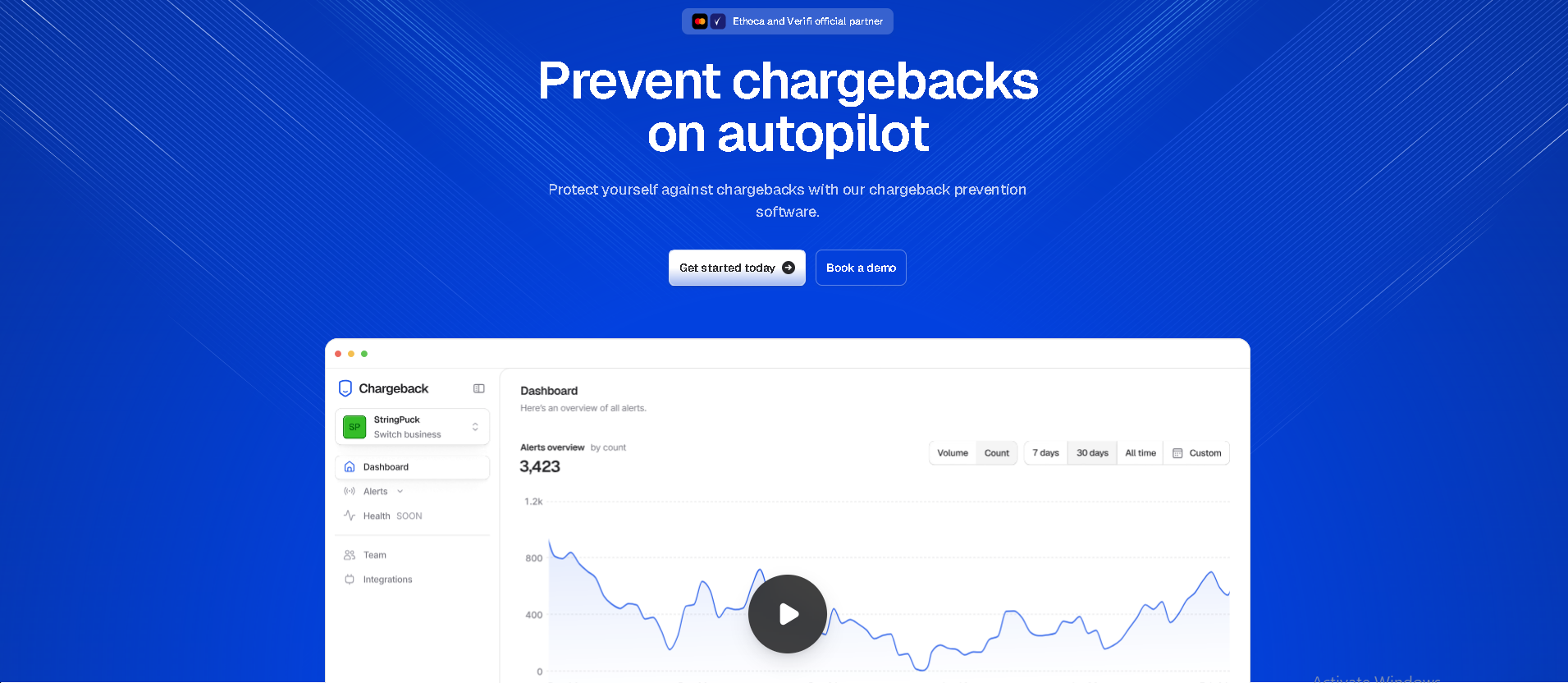
1. Chargeback
- Best for:
- Stores that want alerts and auto-refund in one integration
- Sellers with a dispute rate climbing toward a monitoring threshold
- Merchants with no dedicated chargeback staff
- Pricing: Free to install, then $15 to $29 per alert
- Features: Ethoca and Verifi (RDR, CDRN) alerts, automatic refunds, automatic subscription cancellation, payment processor health
- Shopify App Store rating: 4.9 out of 5
<style>.wf-pc{display:flex;flex-wrap:wrap;gap:16px;margin:24px 0}.wf-pc>div{flex:1 1 240px;border:1px solid #ddd;border-radius:8px;padding:16px}.wf-pc h4{margin:0 0 8px;font-size:1rem;font-weight:600}.wf-pc ul{margin:0;padding-left:20px}.wf-pc li{margin-bottom:6px}.wf-pc .pros{border-top:3px solid #1f9d55}.wf-pc .cons{border-top:3px solid #c53030}</style>
<div class="wf-pc">
<div class="pros"><h4>Pros</h4><ul>
<li>Covers all three alert networks in one setup</li>
<li>Auto-refunds before a dispute becomes a chargeback</li>
<li>Cost tracks real dispute volume, with no monthly minimum</li>
</ul></div>
<div class="cons"><h4>Cons</h4><ul>
<li>Prevention only, so it does not fight disputes already filed</li>
<li>No pre-purchase fraud scoring</li>
</ul></div>
</div>
Chargeback pairs Ethoca and Verifi alerts with auto-refund, so a dispute gets resolved before it becomes a chargeback. It reads the alert, matches it to your Shopify order, and refunds automatically when the order sits under a threshold you set.
Most apps leave a gap here, where an alert arrives but nobody acts on it in time. This closes it.
Pricing is pay per alert, which ties cost to real dispute volume instead of a flat monthly fee. According to Chargeback's pricing page, Ethoca alerts run $29 each and both Visa networks (RDR and CDRN) run $15 each, with no monthly minimum.
It fits stores that want prevention handled end to end without wiring up each network themselves. Because the cost tracks alerts rather than a flat fee, a low-dispute store pays little and a high-dispute store still only pays for real cases.
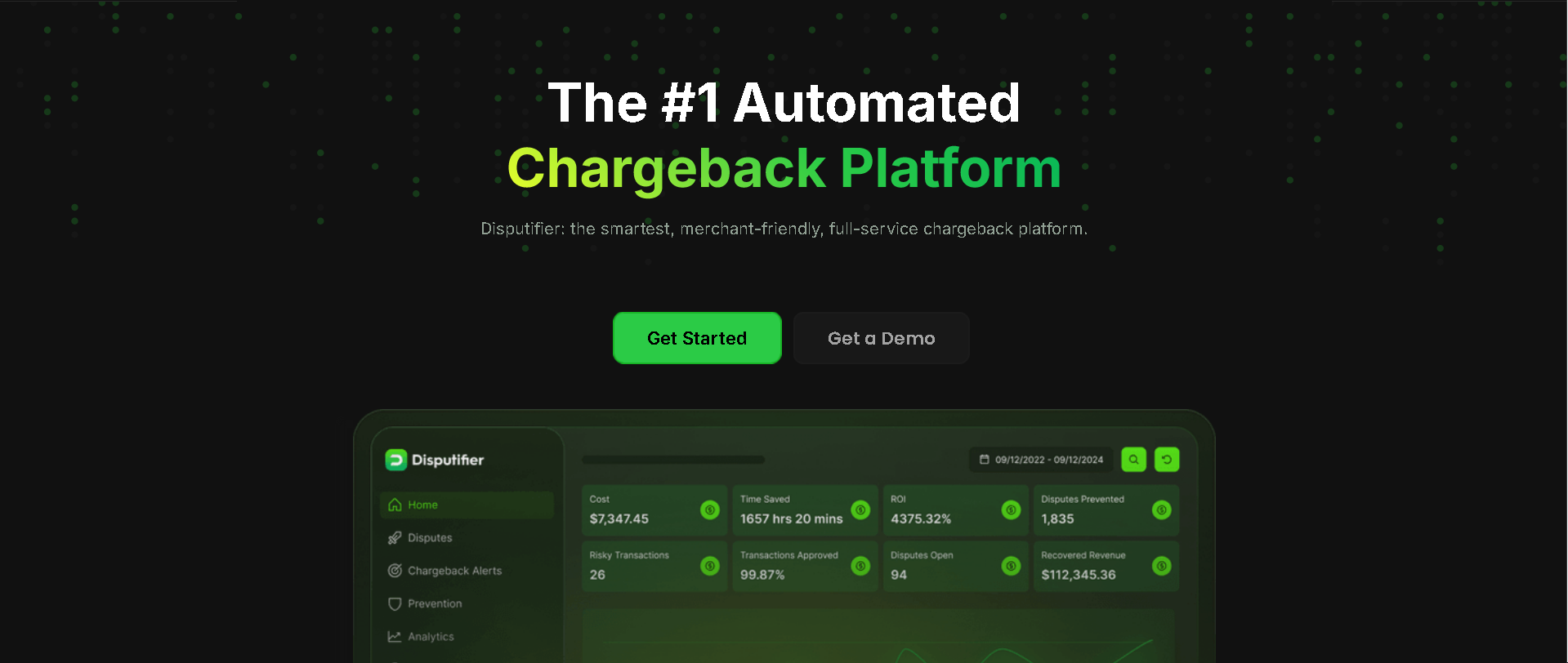
2. Disputifier
- Best for:
- Stores that want disputes fought without a monthly commitment
- High-ticket sellers who benefit from a per-win fee cap
- Pricing: 20% of each won dispute, capped at $250 per win, per Disputifier's pricing page
- Features: Dispute response automation, chargeback alerts, fraud rules
<div class="wf-pc">
<div class="pros"><h4>Pros</h4><ul>
<li>You pay only when a dispute resolves in your favor</li>
<li>The per-win cap limits what a large recovery costs you</li>
<li>Bundles alerts alongside dispute responses</li>
</ul></div>
<div class="cons"><h4>Cons</h4><ul>
<li>Recovery starts only after a dispute already exists</li>
<li>A won dispute still counted toward your ratio that month</li>
</ul></div>
</div>
Disputifier leans toward fighting disputes on a success fee, charging a percentage of what it wins. According to Disputifier, its recovery fee runs around 20% of a won dispute, capped per case.
A small win costs little, and a large one has a fixed limit. It also sends alerts, but its pitch centers on recovery. You pay when a dispute resolves in your favor, which suits a store that already takes disputes and wants them fought without a monthly commitment.
The tradeoff is that recovery only starts after a dispute exists. A prevention-first setup catches the same case earlier, before it counts against your rate.
3. Chargeflow
- Best for:
- Stores focused on recovering revenue after disputes file
- Merchants who want a dispute dashboard across several processors
- Pricing: According to Chargeflow, 25% of each recovered dispute, plus $0.20 per scan after the first 1,000 and $29 per deflected alert
- Features: Dispute recovery automation, alerts, transaction scanning, analytics dashboard
<div class="wf-pc">
<div class="pros"><h4>Pros</h4><ul>
<li>No monthly fee, setup cost, or contract on the recovery product</li>
<li>Free dashboard covers disputes across multiple processors</li>
<li>Layers prevention scanning on top of recovery</li>
</ul></div>
<div class="cons"><h4>Cons</h4><ul>
<li>The recovery fee has no per-win cap, so a large win costs more</li>
<li>Scanning and alerts bill separately from the recovery fee</li>
<li>Recovery does not lower the ratio the dispute already hit</li>
</ul></div>
</div>
Chargeflow charges a percentage of the disputes it recovers, so it earns most when it wins your money back. According to Chargeflow, that fee runs around 25% of a recovered dispute. Unlike a capped success fee, it has no upper limit, so a large recovered chargeback carries a large fee.
It layers alerts on top, but the core product answers "how do I recover revenue once a dispute files."
That focus is also the boundary. A recovered dispute still counted toward your chargeback ratio the month it filed. When your risk is a monitoring threshold, prevention keeps that count down in a way recovery can't.
4. NoFraud (now Wyllo)
- Best for:
- Smaller stores screening risky orders before they ship
- Merchants who want a financial guarantee on screened orders
- Pricing: Free to install for screening, then $250, $350, or $450 per month for guarantee tiers of $500, $1,000, and $2,000, per NoFraud's App Store listing
- Features: Real-time fraud screening, chargeback guarantee, post-purchase abuse detection
- Shopify App Store rating: 4.9 out of 5
<div class="wf-pc">
<div class="pros"><h4>Pros</h4><ul>
<li>Free screening tier with no guarantee attached</li>
<li>Paid tiers reimburse fraud chargebacks on approved orders</li>
<li>Published monthly pricing, so you can budget before a sales call</li>
</ul></div>
<div class="cons"><h4>Cons</h4><ul>
<li>Screens before purchase, so it misses friendly-fraud disputes</li>
<li>Guarantee tiers carry a monthly minimum regardless of volume</li>
</ul></div>
</div>
NoFraud scores orders for fraud risk before they ship, and its paid plans guarantee approved orders that later turn out fraudulent. It rebranded to Wyllo in March 2026 after acquiring post-purchase risk platform Yofi, so the Shopify listing now carries the Wyllo name.
It screens at checkout, so it stops a bad order instead of resolving a dispute after the fact. A free tier covers stores under roughly 100 orders a month, and paid plans charge a percentage of revenue, so cost scales with volume rather than dispute count.
This is a pre-purchase tool, not a dispute-alert tool. It won't catch a friendly-fraud dispute on an order the customer genuinely placed. Post-purchase alerts do that work instead.
5. Signifyd

- Best for:
- Larger stores wanting a financial guarantee on approved orders
- Merchants pushing approval rates up without taking the fraud risk
- Pricing: Free to install with a 14-day trial, then a percentage of approved order value quoted per store
- Features: Machine-learning order scoring, chargeback guarantee, instant decisioning
- Shopify App Store rating: 4.8 out of 5
<div class="wf-pc">
<div class="pros"><h4>Pros</h4><ul>
<li>Guarantee shifts fraud liability off approved orders</li>
<li>Instant decisions keep fulfillment moving</li>
<li>Scoring model improves as it sees more of your orders</li>
</ul></div>
<div class="cons"><h4>Cons</h4><ul>
<li>Pricing is quoted per store rather than published</li>
<li>Cost scales with approved order value, not dispute count</li>
<li>A customer who received the goods and disputes still gets through</li>
</ul></div>
</div>
Signifyd scores orders and adds a financial guarantee, shifting fraud liability off the merchant on approved orders. Pricing runs as a percentage of approved order value, quoted per store rather than published, so cost scales with the sales it clears.
Larger stores use it to push approval rates up without eating the fraud risk, since the guarantee covers a chargeback on an order Signifyd told them to accept.
Like NoFraud, it works at checkout, before the charge. It guards against fraudulent orders. A customer who received the product and disputes anyway still gets through.
6. Kount
- Best for:
- High-volume sellers shipping across borders
- Teams that need custom risk rules and thresholds
- Pricing: Free to install, then custom quote billed per interaction
- Features: AI fraud scoring, bot detection, adjustable risk rules, chargeback alerts
- Shopify App Store rating: 5.0 out of 5
<div class="wf-pc">
<div class="pros"><h4>Pros</h4><ul>
<li>Handles large transaction counts and cross-border risk</li>
<li>Risk thresholds and rules are yours to tune</li>
<li>Scoring draws on a global fraud data network</li>
</ul></div>
<div class="cons"><h4>Cons</h4><ul>
<li>No published pricing, so every quote runs through sales</li>
<li>Setup effort is heavy for a store of ordinary size</li>
</ul></div>
</div>
Kount is an enterprise fraud-scoring platform built for high-volume global sellers, priced by custom quote. It handles large transaction counts and cross-border risk that a smaller tool struggles with.
Pricing is billed per interaction, such as each account screened or each dispute fought, and you contact sales rather than picking a published tier.
For most Shopify stores, that scale is more than the problem needs. It fits when order volume and geography make lighter tools too blunt.
7. FraudLabs Pro
- Best for:
- Small stores wanting cheap fraud checks on a fixed monthly bill
- Merchants under 500 orders a month who can run on the free tier
- Pricing: Free for 500 queries a month, then $29.95 for 1,500, $99.95 for 5,000, and $249.95 for 25,000, per FraudLabs Pro
- Features: Order risk scoring, validation rules, IP and email checks
- Shopify App Store rating: 4.2 out of 5
<div class="wf-pc">
<div class="pros"><h4>Pros</h4><ul>
<li>Cheapest paid entry point of the seven</li>
<li>Query-based tiers make the monthly cost predictable</li>
<li>Free tier covers a genuinely small store</li>
</ul></div>
<div class="cons"><h4>Cons</h4><ul>
<li>Scoring only, with no chargeback guarantee or alerts</li>
<li>Thinnest review record on the App Store of the apps here</li>
</ul></div>
</div>
FraudLabs Pro offers cheap, query-based fraud scoring for small stores, with a free tier and low monthly plans. It scores orders for risk signals without the price of an enterprise platform.
Plans run by monthly query volume, from a free tier up through low-cost tiers as your order count grows, so a small store pays a fixed, predictable amount.
It's a budget fraud filter that works before shipping. A disputed order that already shipped needs an alert network to catch it.
How chargeback prevention apps actually work
These apps do one or more of three distinct jobs, split along the transaction timeline:
- Alerts: card networks flag a dispute in motion, so you act before it becomes a chargeback.
- Evidence automation: the app refunds or submits a response on a dispute already filed.
- Fraud scoring: the app rates an order's risk at checkout, before the charge clears.
The first two act after the purchase, and the third acts before it. Alerts and evidence automation handle disputes already underway, which is post-purchase work. Fraud scoring and tools like 3D Secure handle risk before the charge happens.
Knowing which job you need is how you avoid paying for the wrong category.
A clear billing statement descriptor prevents both, because a customer who recognizes the charge rarely disputes it.
Say a $50 order gets flagged as risky at checkout.
A fraud-scoring tool holds or declines it before you ship. Now the same order ships clean, and a week later the customer disputes it. That one gets caught by an Ethoca or Verifi alert and auto-refunded before it becomes a chargeback. Two different tools, two points in one order's life.
Our Shopify chargeback guide walks a dispute from filing to resolution.
The alert-network layer most people skip
Before paying for a full app, most Shopify stores can enroll directly in the alert networks behind these apps, which cost less per alert than a bundled subscription. Those networks are Ethoca (Mastercard) and Verifi (Visa, which operates RDR and CDRN).
A paid app often just bundles those networks together for you. It handles enrollment, matches alerts to orders, and runs the auto-refund logic.
Which network to prioritize depends on your own dispute mix. Chargeback.io's alert data shows how that mix splits across networks, and our alert-network breakdown covers it. So check where your disputes actually come from before you buy:
- Mostly Visa disputes: prioritize Verifi's chargeback alerts first, through RDR or CDRN.
- Mostly Mastercard disputes: prioritize Ethoca's chargeback alerts first.
- Unsure of your mix: enroll Ethoca plus RDR as the default pair.
Do the cost math before you commit. A single Shopify chargeback still costs you Shopify's chargeback fee on top of the lost order, so a prevented dispute pays for several alerts.
RDR has an enrollment catch. It only works for Visa transactions and needs your BIN and CAID (or ARNs) plus the billing descriptor. A store that can't supply those falls back to CDRN, which covers US transactions only.
To skip wiring each network up yourself, our alert coverage enrolls the right stack for your dispute mix in one setup.
When you actually need one (dispute rate thresholds)
Visa's Acquirer Monitoring Program flags a merchant as Excessive at a 220 basis point (2.2%) dispute-plus-fraud ratio through March 2026. That drops to 150 basis points (1.5%) on April 1, 2026 in the AP, Canada, EU, and US regions.
Mastercard's Excessive Chargeback Merchant program starts lower, at 100 to 299 chargebacks and 1.5% to 2.99% of transactions. Its High Excessive tier begins at 300 or more chargebacks and 3% or more of transactions.
These are monthly ratios and counts, so your chargeback rate trend matters more than any single month. A slow climb is what triggers enrollment.
Run your own numbers. A store with 1,800 monthly transactions and 30 disputes-plus-fraud cases sits at 167bps, under today's 220bps line but over the 150bps one arriving April 2026.
The ratio is a leading indicator. Visa's program needs at least 1,500 combined fraud-and-dispute cases a month before it applies, and Mastercard uses count minimums. So that store, at 30 cases, is nowhere near enrollment. Watching the trend keeps you ahead of a chargeback monitoring program.
Our Visa monitoring program guide has the ratio stages.
Size the payoff for your store with our ROI calculator.
Shopify Protect vs. a dedicated chargeback app
Shopify Protect reimburses fraud-based chargebacks on eligible Shop Pay orders, while a dedicated app also covers non-fraud disputes and the alert-network coverage Protect leaves out.
Protect is free on eligible orders and handles the dispute for you, which is real value. The limit is scope.
Its guarantee is tied to specific eligibility rules:
- Store location: US stores selling through Shop Pay on Shopify Payments.
- Fulfillment: a tracking number added within seven days of the order.
- Product type: orders of entirely physical, shipped goods only.
Protect reimburses fraud and unrecognized chargebacks. Claims that the item never arrived, arrived damaged, or wasn't as described fall outside it. A dedicated app or direct network enrollment covers a broader set of reasons, because it intercepts the dispute itself.
That makes the choice situational.
A store selling only through Shop Pay, with low dispute volume and mostly fraud-type disputes, may find Shopify Protect enough on its own. The math changes once your dispute types diversify into cancellations or subscription confusion, or once volume climbs toward a monitoring threshold.
Your payment gateway choice also shapes which disputes you see, so weigh the two together.
How to choose a chargeback prevention app
Four factors decide which app fits, and they work best in order. The first one rules out most of the list before price ever matters:
- Your actual problem, whether pre-purchase fraud or post-purchase disputes.
- The pricing model, since per-alert, success-fee, and percentage-of-revenue billing behave differently.
- Whether a chargeback guarantee earns its cost at your dispute rate.
- Your dispute rate and how close it sits to a monitoring threshold.
1. Match the app to your actual problem
Decide whether you're losing money to fraudulent orders or to disputes on orders you shipped correctly, because no app covers both well. Pull your last 90 days of disputes and sort them by reason code. Fraud and unrecognized-charge codes point to a screening tool
Cancellation, "not as described," and subscription-confusion codes point to alerts and auto-refund.
Most stores find one category dominates. Buying against the smaller one is the common mistake, and it's why feature-count comparisons mislead.
Summary: Sort 90 days of disputes by reason code before you shortlist anything.
2. Read the pricing model, not the price
Three billing models dominate, and each one shifts cost onto a different variable:
- Per-alert billing tracks dispute volume, so a quiet month costs almost nothing.
- Success fees track recovered revenue, so you pay only on wins, though an uncapped percentage on a large win can beat a flat fee.
- Percentage-of-revenue and per-query billing track order volume, so you pay on every clean order too.
Check for setup fees, integration charges, and contract length. Most of these apps run month to month, but that can change without notice.
Summary: Per-alert cost tracks disputes, while percentage pricing charges you on clean orders too.
3. Price the guarantee against your own losses
A chargeback guarantee only pays off when your covered losses beat the annual premium, so run the arithmetic before you buy one. Multiply your monthly fraud-type disputes by your average order value, then compare that against twelve months of guarantee fees.
Picture a store that loses $400 a month to fraud disputes. That store gets little from a $450 monthly tier.
Read what the guarantee excludes. Most cover fraud and unrecognized charges only, which leaves the non-fraud disputes that alerts catch.
Summary: Compare a year of guarantee fees against a year of covered losses.
4. Check your dispute rate against the thresholds
Your dispute rate sets how much tooling is justified, since the cost of crossing a monitoring threshold dwarfs any subscription. As a rule of thumb based on the analysis above, below roughly 0.5%, Shopify Protect plus 3D Secure and a clear billing descriptor usually hold the line. Approaching 1%, add alert coverage, since that's the point where the thresholds start to matter.
Track the quarterly trend rather than a single month. A rate climbing steadily over a quarter is the pattern that triggers enrollment, and it's also the pattern that gives you time to act.
Summary: Under 0.5%, keep it basic. Near 1%, add alerts before the threshold forces it.
FAQ
Fraud prevention vs. chargeback prevention: the difference
Fraud prevention stops risky orders before they ship, while chargeback prevention catches disputes on orders that already shipped. One works at checkout with risk scoring. The other works after purchase with card-network alerts.
How much do Shopify chargeback prevention apps cost?
Pricing runs three ways, whether pay per alert, a percentage of disputes won or recovered, or a monthly fraud-scoring tier. Alert-based tools tie cost to real dispute volume, so you pay for what the networks actually send.
Can I use more than one chargeback prevention app at once?
Yes, and stores often pair a pre-purchase fraud filter with a post-purchase alert app since they catch different problems. Watch for overlap in network coverage so you don't pay twice for the same alerts.
Does a chargeback app affect my Shopify account health?
A prevention app helps it, because keeping disputes down protects the chargeback ratio Shopify and the card networks watch. It works on the rate that account-health signals track, so a lower rate reads as a healthier account.
